Background music for what you’re doing
Pick a mood. Undersong plays right away from your menu bar and keeps writing new tracks on your Mac while you work.
How it works
Music starts at once. New music keeps coming.
Pick what you’re doing
Moods are named for the work: Deep Code, Sprint, Meeting Prep. Starter music plays right away.
Set it calm or energetic
Same mood, more or less drive. The music follows in a few seconds.
New tracks keep coming
While you listen, Undersong writes fresh tracks for the mood on your Mac and saves them.
Moods
Grouped by what you’re doing
Focus for work, Ambient for long stretches, Wind down for the end of the day. Pick one, or let Radio move between a few.
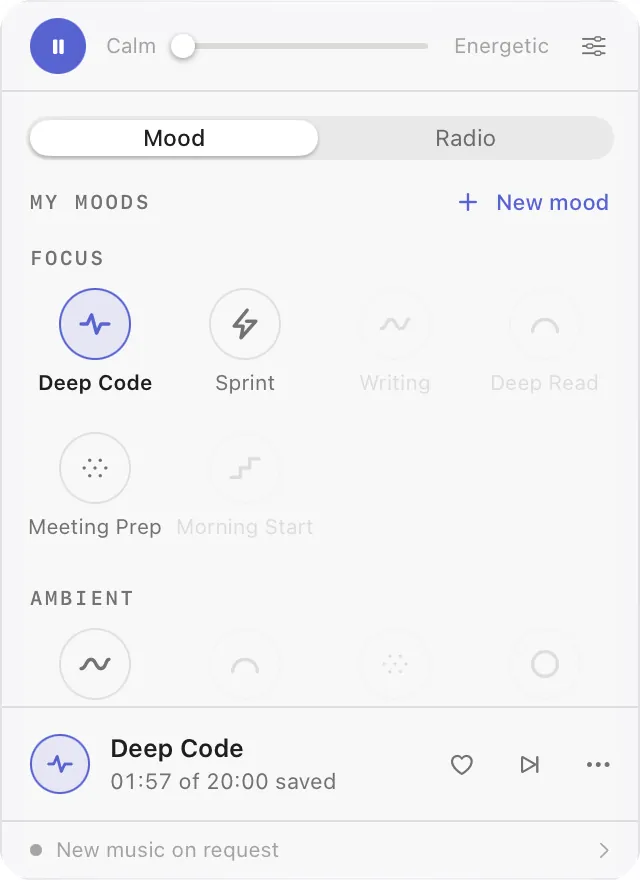
Focus
Ambient
Wind down
Dimmed moods are not playable yet, the same as in the app.
From a song you like
Bring a song. Get a mood that feels like it.
Drop in an audio file. Undersong listens to it on your Mac and finds the closest mood, or makes your own mood that follows the song’s feel.
Choose how close to stay: keep the melody and rhythm, or keep only the feel. The song never leaves your Mac.
Mood Studio
Make a mood of your own
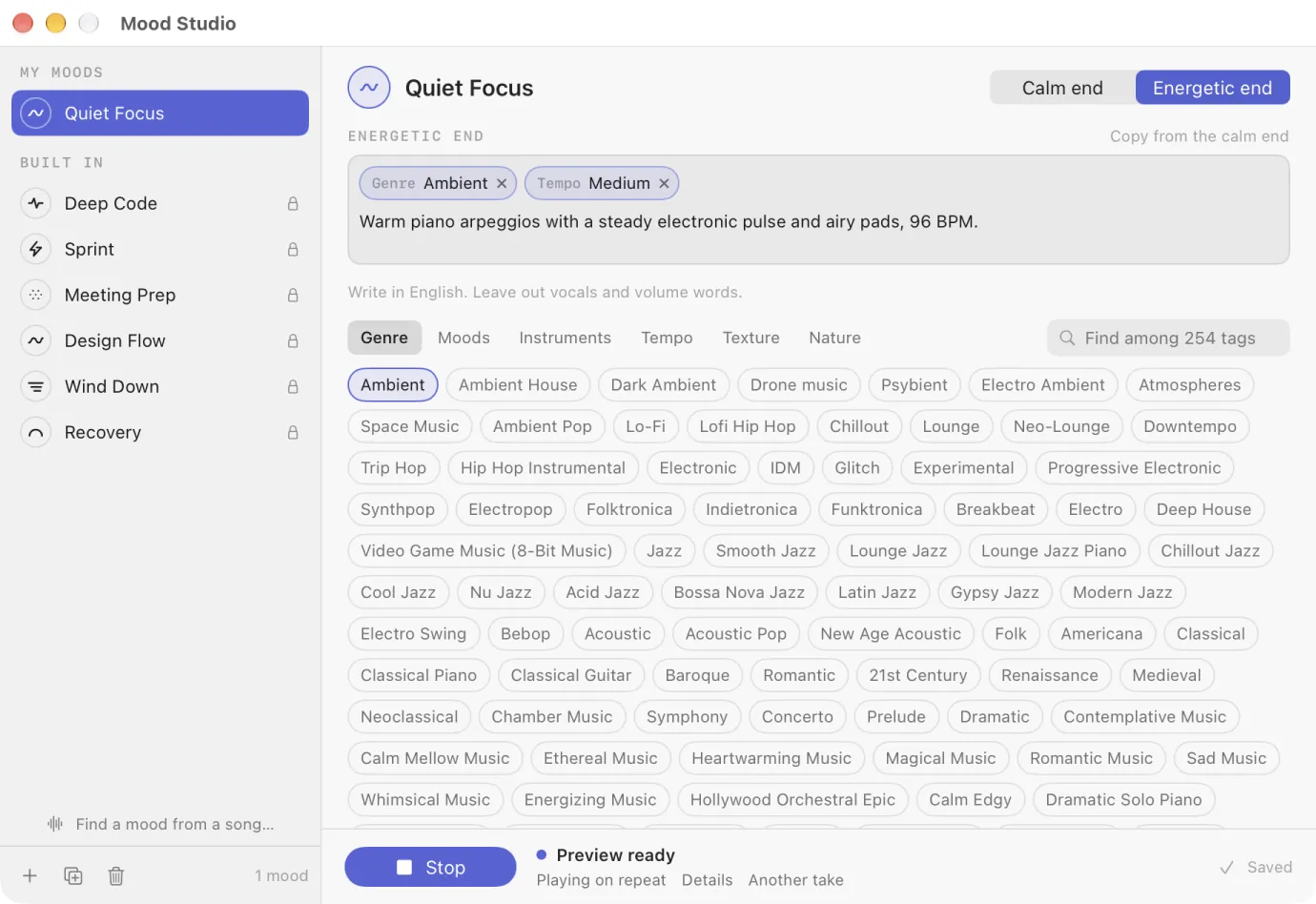
Pick a few tags, add a sentence in your own words, and test 20 seconds before you save. Set a calm end and an energetic end, and the slider moves between them.
Your moods sit at the top of the board, next to the built-in ones.
Radio and library
A few moods in rotation, and everything you keep
Hearts and skips
Heart what fits, skip what doesn’t. Your choices stay on this Mac.
Saved library
Tracks you keep are saved on your Mac, with the volume evened out between them.
Share a track
Send a small file. A friend with Undersong can make the same track again.
Export audio
Save any track as an audio file for use elsewhere.
Private by design
Made on your Mac. Nothing uploaded.
The music
Every new track is made on your Mac. Nothing is streamed.
Your songs
Songs you bring are heard on your Mac and never leave it.
Your taste
Moods, hearts and skips are kept on this Mac, not on a server.
AI assistants
Your assistant can play music too
Turn on Allow agents in Settings, and AI assistants on the same Mac can create and control music for you. It stays off until you turn it on.
Put on something for the work
Starter music plays the moment you pick a mood.
or with Homebrew:brew install --cask bshk-app/tap/undersong
Your Mac works while Undersong writes new music: automatically, on request or on a schedule.